What Is the Difference Between a 3A and 5A USB-C Cable?
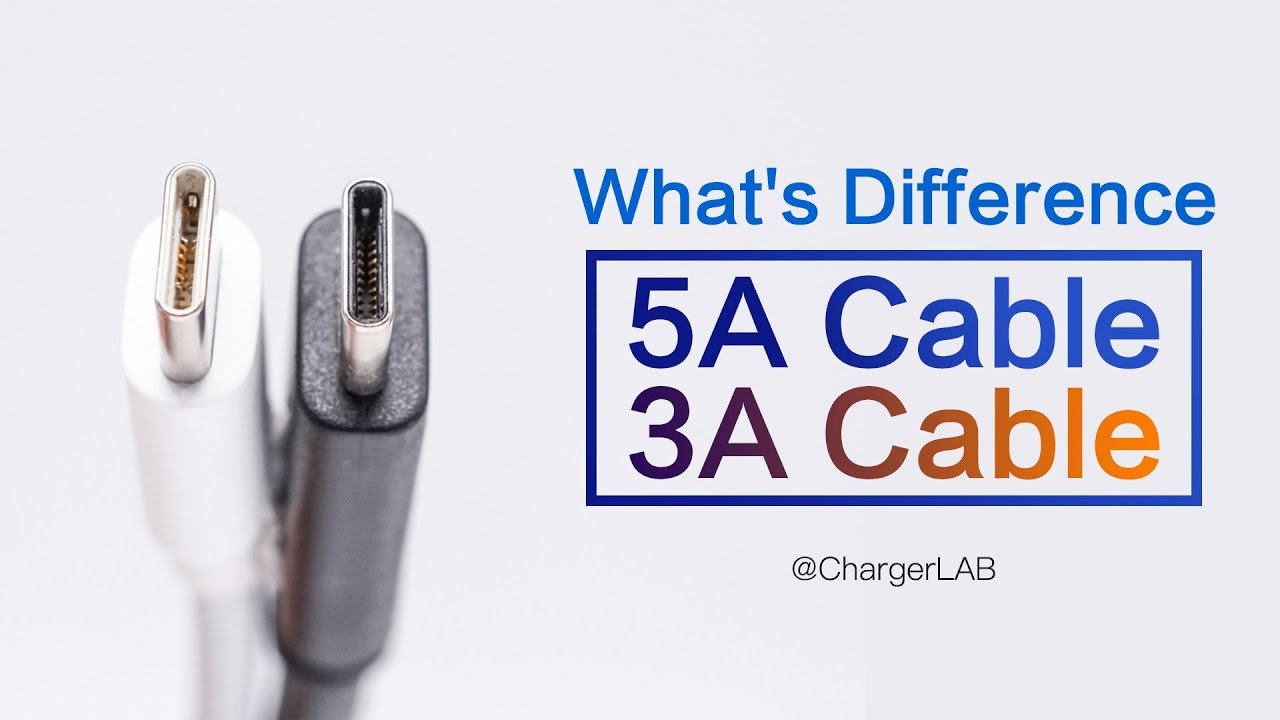
The main difference between a 3A cable and a 5A cable is the maximum current the cable is designed to carry. Under a 20V USB Power Delivery profile, a 3A USB-C cable can support up to 60W, while a 5A cable can support up to 100W. A compatible USB PD Extended Power Range 5A cable can support up to 240W at 48V.
However, a 5A cable does not automatically charge every device faster. The charger, cable, device and charging protocol must all support the required power level.
The advancement of charging technology has increased available charging power from the basic 5W used by earlier devices to as much as 240W under USB Power Delivery Extended Power Range. Despite the similar appearance of many USB-C cables and chargers, their performance and pricing can vary significantly. This is particularly noticeable when a high-power charger cannot deliver its maximum output because the connected cable does not support the required current or power level.
This difference is partly caused by the current and power ratings of USB-C cables. Two of the most common current ratings are 3A and 5A, and these ratings directly affect how much charging power a cable can safely carry.
Charging power may range from 5W to 240W, but choosing the correct cable can still be confusing because many USB-C cables look almost identical. In common USB Power Delivery applications, a 3A cable can support up to 60W at 20V, while a 5A cable can support 100W at 20V. A specifically rated 5A EPR cable may support up to 240W.
| Feature | 3A Cable | 5A Cable |
|---|---|---|
| Maximum current | 3A | 5A |
| Typical maximum power | Up to 60W | 100W or up to 240W with compatible EPR cable |
| E-marker | Not always required | Required |
| Best for | Phones, tablets, lower-power laptops | High-power laptops, docks and compatible fast-charging phones |
| Data speed | Depends on USB specification | Depends on USB specification |
| Automatically faster? | — | No; only when the complete charging system needs more than 3A |

Which USB-C Cable Types Use 3A and 5A Current Ratings?
USB-C is one of the most widely used interfaces for fast charging. The main cable types include USB-C to USB-C and USB-A to USB-C.
Because USB-C to Lightning is designed for specific Apple devices and does not represent the general USB-C Power Delivery cable system, this article focuses primarily on USB-C to USB-C cables.
USB-A to USB-C cables may also be advertised with current ratings such as 3A or 5A, but their charging performance depends on the charger, cable wiring and supported charging protocol. The 60W, 100W and 240W examples discussed below mainly refer to USB-C to USB-C cables used with USB Power Delivery.
What Is an E-Marker Chip, and Why Do 5A USB-C Cables Need One?
The USB Power Delivery and USB-C ecosystem contains three important components: the power source, such as a charger; the device receiving power, such as a phone or computer; and the cable connecting them.
Within this system, the charger and device negotiate their power roles and supported charging profiles. The cable may also provide information about its current, power and data capabilities.
Some USB-C cables contain an E-Marker, or electronically marked cable chip. This chip allows compatible devices and chargers to identify important cable capabilities.
An E-Marker is not required in every basic 3A USB-C cable. However, some 3A cables may still contain an E-Marker because of their data-transfer capabilities, active components or other features.

A USB-C cable designed to carry 5A must be electronically marked. Without the required 5A electronic marking, a USB Power Delivery system will normally limit the cable to a maximum of 3A.
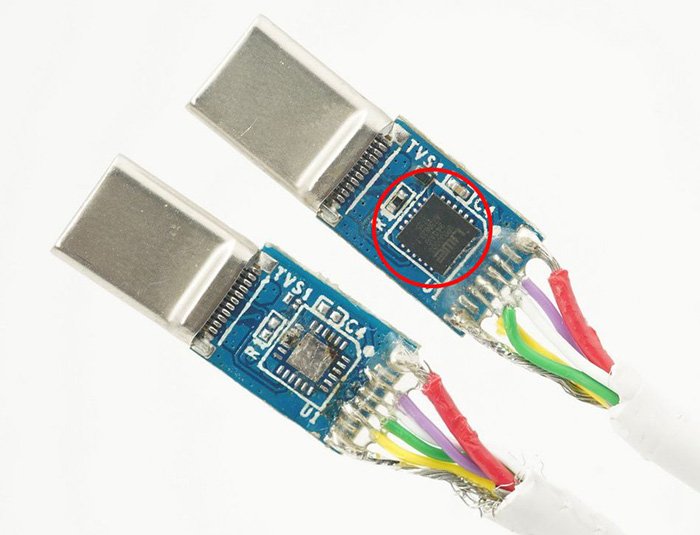
It is also important to understand that an E-Marker alone does not prove that a cable supports 5A or 240W. The information stored in the E-Marker must indicate the appropriate current and power capability. A 100W 5A cable should not automatically be described as a 240W EPR cable.
Data cables are commonly discussed as 60W 3A cables and 100W 5A cables. Newer USB PD Extended Power Range cables can support up to 240W when the charger, cable and device are all compatible.
Charging power and data-transfer performance are separate specifications. A 5A cable may support only USB 2.0 data transfer, while a 3A cable may support a higher data speed if it is designed for USB 3.2, USB4 or another higher-performance specification.
| USB Standard or Data Capability | Data Transfer | 3A Cable | 5A Cable at 20V | Compatible 5A EPR Cable |
|---|---|---|---|---|
| USB 2.0 | Up to 480Mbps | Up to 60W | Up to 100W | Up to 240W |
| USB 3.2 Gen 1 | Up to 5Gbps | Up to 60W | Up to 100W | Up to 240W |
| USB 3.2 Gen 2 | Up to 10Gbps | Up to 60W | Up to 100W | Up to 240W |
| USB 3.2 Gen 2×2 | Up to 20Gbps | Up to 60W | Up to 100W | Up to 240W |
| USB4 or Thunderbolt 3/4 | Up to 40Gbps | Depends on cable design | Up to 100W | Up to 240W |
The table shows possible combinations, not a guarantee that every cable supports every listed capability. Buyers should check the cable’s power and data specifications separately.
The USB-IF currently uses 60W and 240W power-rating designations for certified USB-C cables. Many existing cables are still sold as 100W 5A products because 20V × 5A equals 100W. USB-IF USB Power Delivery explanation
What Is a 3A USB-C Cable, and How Much Power Can It Support?
The 3A cable is one of the most common USB-C cable types. It may not have a distinctive marking on the connector or cable body. The term “3A” refers to a maximum current-carrying capacity of 3 amperes.
Under a 20V USB Power Delivery profile, a 3A cable can support a maximum theoretical power of 60W:
20V × 3A = 60W
This does not mean that every 3A cable always delivers 60W. At different voltages, the corresponding power is different:
- 5V × 3A = 15W.
- 9V × 3A = 27W.
- 15V × 3A = 45W.
- 20V × 3A = 60W.
Many basic 3A USB-C charging cables do not require an E-Marker. However, some 3A cables may still include one because they support higher data performance or other electronically identified features.
When manufacturing a 3A cable, the connector contacts, conductor size, cable length and internal resistance must still be designed for the intended current and power level.
A 60W 3A cable is sufficient for many smartphones, tablets, Nintendo Switch consoles, power banks and some lightweight laptops. It is also commonly paired with chargers rated at 60W or below and is usually more cost-effective than a 5A cable.
Actual charging power may be lower than 60W because it is determined by the charger, device, cable, charging protocol, battery temperature and battery state of charge. The 60W rating represents the cable’s maximum supported power under the appropriate 20V/3A conditions, not a guaranteed charging rate for every device.
See an example of a 3A 60W USB-C cable.

What Is a 5A USB-C Cable, and How Much Power Can It Support?
A 5A cable can carry approximately 67% more current than a 3A cable. Supporting the higher current requires the cable and connector to be designed for safe 5A operation.
Some 5A cables are marked with “5A,” “100W” or another power rating on the connector, cable body or packaging. However, appearance alone is not always enough to identify the cable’s capabilities, so buyers should check the product specifications.
The “5A” rating means that the cable can carry a maximum current of 5 amperes. Under a 20V USB Power Delivery profile, this allows a maximum theoretical power of 100W:
20V × 5A = 100W
Under USB PD Extended Power Range, a compatible 5A EPR cable may support:
- 28V × 5A = 140W.
- 36V × 5A = 180W.
- 48V × 5A = 240W.
A 5A USB-C cable must contain an appropriate E-Marker. The charger can read the cable information before allowing the charging system to operate above the standard 3A limit.
Compared with a 3A cable, a 5A cable may require thicker power conductors, suitable connector contacts and more careful control of resistance and heat. The exact construction varies according to the cable length, power rating, data specification and manufacturer’s design.
A 5A cable can be useful for high-power laptops, USB-C docks, compatible fast-charging phones and other devices that need more than 3A. However, it will only improve charging performance when the charger and device support a charging profile that requires the additional current.
For a phone limited to 20W or 25W, changing from a suitable 3A cable to a 5A cable may not increase charging speed. For a laptop requiring 65W or 100W, an appropriate 5A cable may be necessary to reach the full supported charging power.
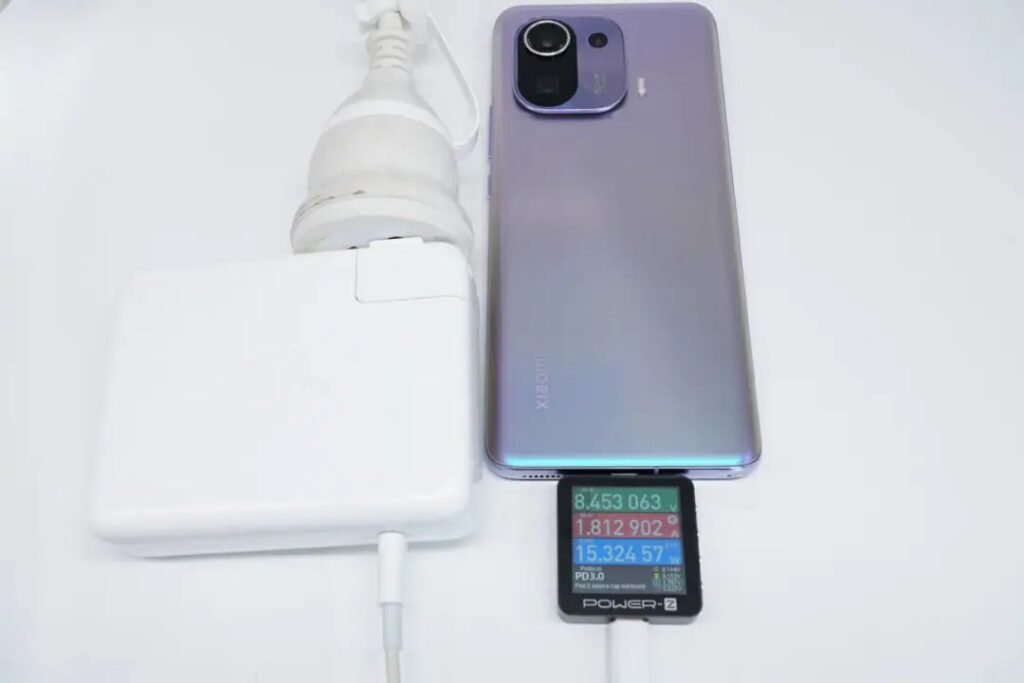
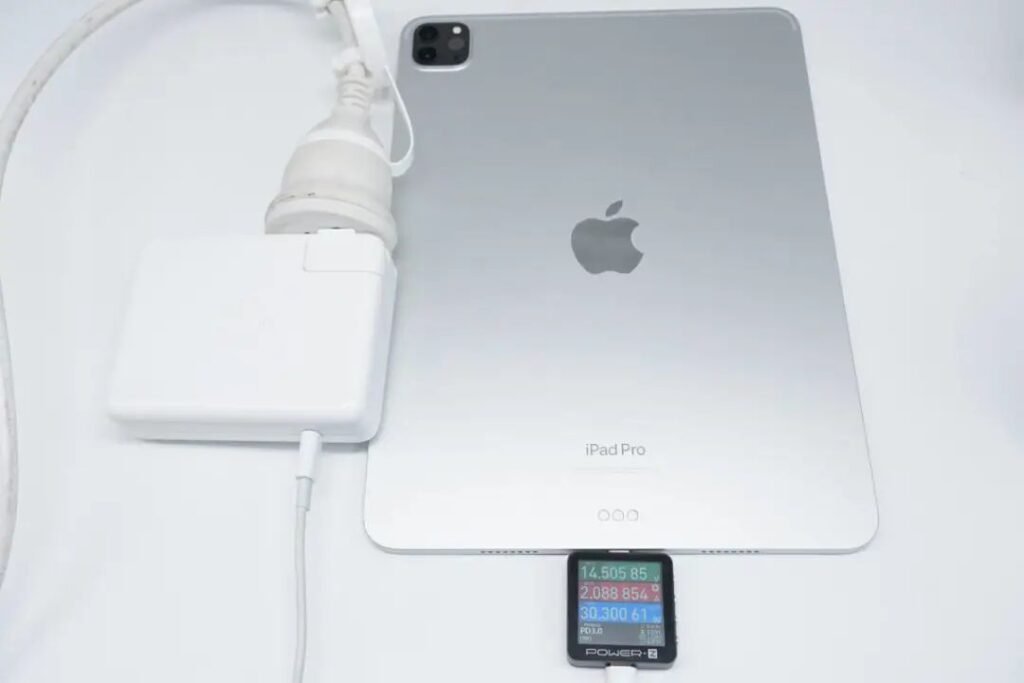
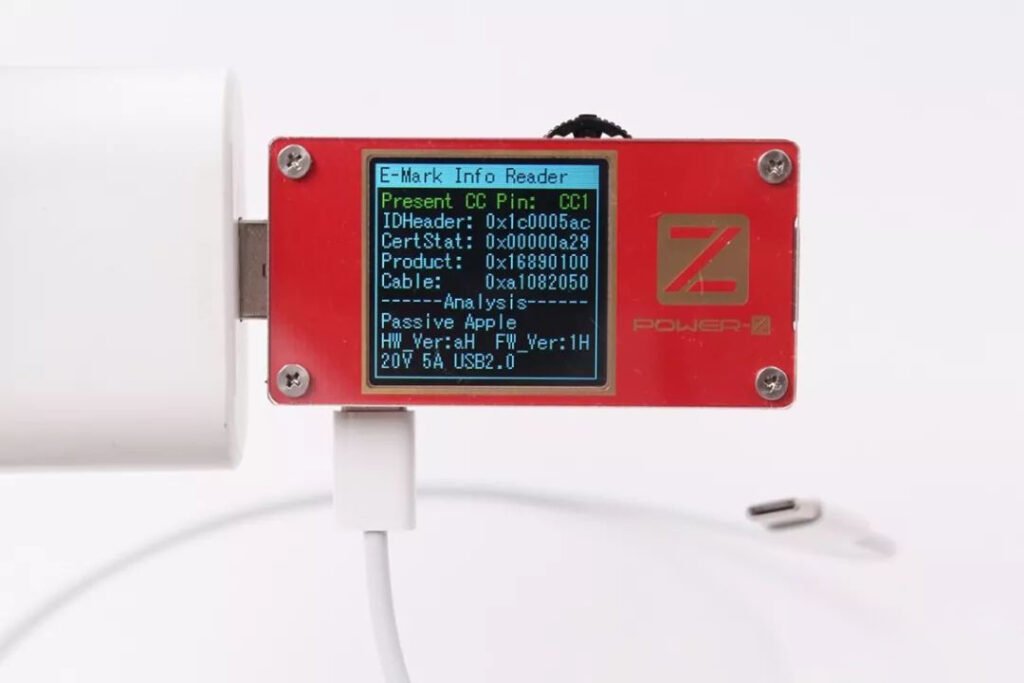
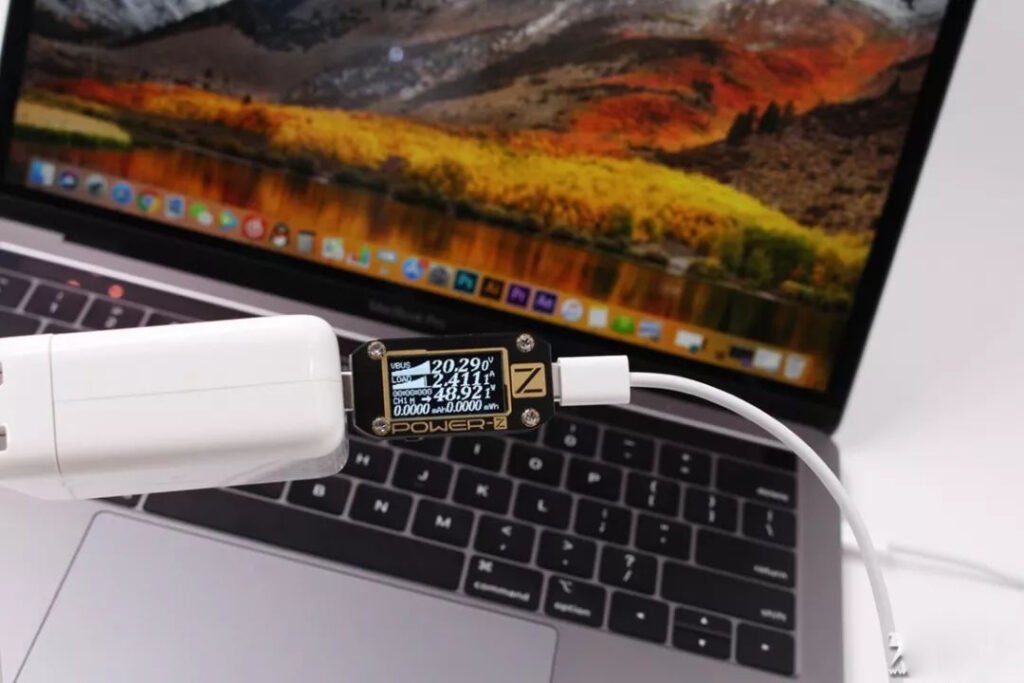
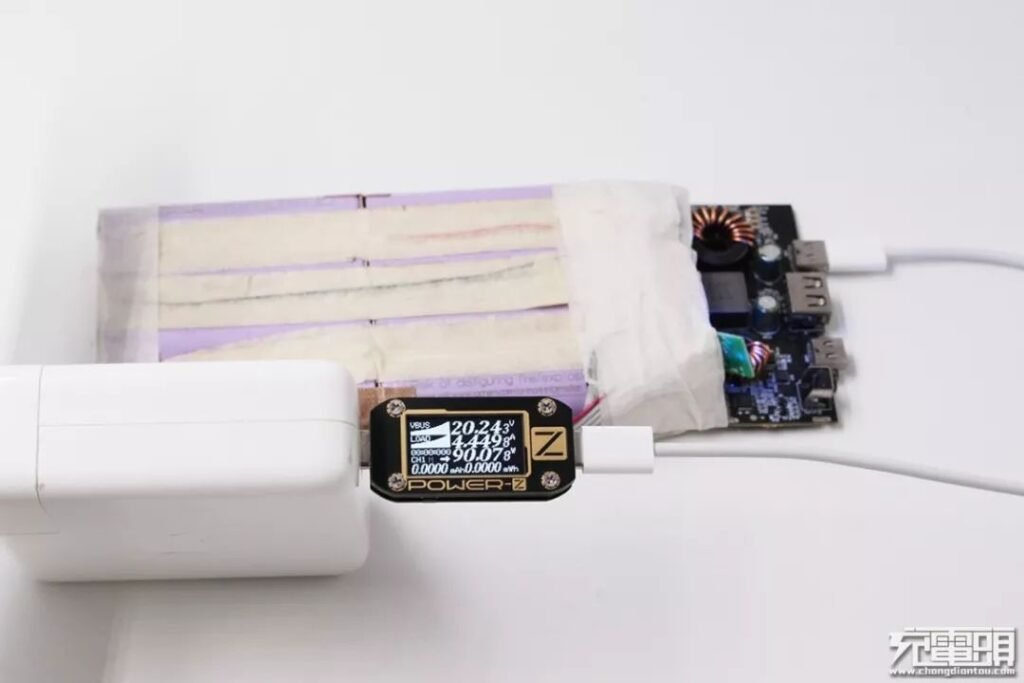
A cable tester that supports E-Marker reading may display the cable’s advertised current, power and data capabilities. For example, a 100W 5A charging cable may still support only USB 2.0 data transfer at up to 480Mbps. This demonstrates that charging power and data-transfer speed are not directly linked.
See an example of a 5A 100W USB-C cable.
Comparison of 3a and 5a Cables
The comparison between 3A and 5A USB cables mainly involves two aspects: power-delivery capability and device requirements.
Understanding these differences can help users select a cable that matches their charger and device without paying for capacity they do not need or unintentionally limiting a high-power charging system.
How Do 3A and 5A USB-C Cables Differ in Power Delivery?
The most significant difference between 3A and 5A cables is their maximum current capacity.
A 3A cable can carry up to 3 amperes and, under a 20V USB Power Delivery profile, support up to 60W. This is sufficient for many smartphones, tablets and lower-power laptops.
A 5A cable can carry up to 5 amperes. It can support 100W at 20V, while a compatible 5A EPR cable can support up to 240W at 48V.
A 5A cable does not automatically charge a device faster. It provides an advantage only when the charger and device support a charging profile that requires more than 3A.
Are 3A and 5A USB-C Cables Compatible With the Same Devices?
Both compliant 3A and 5A USB-C cables can work with a wide range of USB-C devices.
A 5A cable does not force 5A into a phone or tablet. The charger and device negotiate the supported power, and the connected device draws only the amount of power it requires.
Therefore, a 5A cable is generally backward-compatible with lower-power devices. Its additional current capacity may simply remain unused when the device does not need it.
The main limitation applies in the other direction: a 3A cable may prevent a charger and high-power device from reaching a charging level above 60W.
What Are the Advantages and Disadvantages of 3A and 5A Cables?
Choosing between a 3A and a 5A USB-C cable depends on the power requirements of the connected device, the charger’s supported output and the required data speed.
What Are the Advantages of a 3A USB-C Cable?
- Suitable for many everyday devices: A 3A cable can provide sufficient power for most smartphones, tablets, accessories and some lightweight laptops.
- Supports fast charging: Depending on the voltage and protocol, a 3A cable can support fast charging up to 60W.
- Widely available: 3A charging cables are common and are often more affordable than equivalent 5A cables.
What Are the Limitations of a 3A USB-C Cable?
- Limited to 3A: A 3A cable cannot provide the current required by charging profiles above the 3A limit.
- May restrict high-power charging: It may prevent a 65W, 100W or higher-power device from reaching its maximum supported charging rate.
What Are the Advantages of a 5A USB-C Cable?
- Higher current capacity: A 5A cable can support charging systems that require more than 3A.
- Suitable for high-power devices: It is a better choice for many laptops, docks and compatible high-power phones.
- Supports higher USB PD power: A 5A cable can support 100W at 20V, while a compatible EPR-rated version can support up to 240W.
What Are the Limitations of a 5A USB-C Cable?
- May be unnecessary for lower-power devices: A 5A cable may provide no speed improvement when the device requires only 20W, 25W or another power level already supported by a 3A cable.
- Usually costs more: The E-Marker, higher-current construction and additional design requirements can increase the cost.
What Should You Consider When Choosing a 3A or 5A USB-C Cable?
How Much Charging Power Does Your Device Require?
The most important factor is the device’s maximum charging requirement.
For devices requiring no more than 60W, a suitable 3A cable is normally sufficient. For devices requiring more than 60W, an appropriate 5A cable is generally required.
For charging levels above 100W, check that the charger, device and cable all support USB PD Extended Power Range.
Will a 5A Cable Provide Faster Charging for Your Device?
A 5A cable can support higher charging power, but only when the connected charger and device can use it.
If your phone accepts only 25W, a 5A cable will not automatically make it charge at 45W or 100W. If your laptop requires more than 60W, using a 3A cable may reduce its available charging power.
How Do Cable Quality and Durability Affect Charging Performance?
Cable quality affects durability, resistance, heat control and charging stability.
Regardless of whether the cable is rated for 3A or 5A, buyers should check:
- The stated current and power rating.
- The supported data speed.
- Cable length.
- Connector and conductor quality.
- E-Marker information where applicable.
- Compatibility with the charger and device.
- Certification or compliance information where available.
How Do 3A and 5A USB-C Cables Perform in Everyday Use?
In everyday use, the difference between a 3A and a 5A cable depends on the connected equipment.
Users charging phones, tablets and other devices below 60W may find that a suitable 3A cable provides the same charging performance as a 5A cable.
Users charging compatible laptops or devices that require more than 3A may need a 5A cable to reach the device’s full supported charging power.
A 5A cable is therefore not automatically better for every user. Its main advantage is providing additional current capacity when the charging system actually requires it.
Why Are 5A USB-C Cables Usually More Expensive Than 3A Cables?
A 5A cable is often more expensive than a comparable 3A cable because it requires an appropriate E-Marker and must be designed for higher current.
However, the price difference also depends on:
- Cable length.
- Connector construction.
- Outer material.
- Data-transfer specification.
- Durability design.
- Brand and certification.
- Whether the cable supports USB PD Extended Power Range.
For devices that require no more than 60W, a suitable 3A cable may provide better value. For laptops and other devices that require more than 60W, the additional capability of a 5A cable may be necessary rather than optional.
Choosing between a 3A and a 5A USB-C cable requires considering the device, charger, required charging power and data-transfer needs together.
Conclusion: Should You Choose a 3A or 5A USB-C Cable?
Understanding the difference between 3A and 5A cables can help you choose a cable that matches your device and charger.
A 3A USB-C cable can support up to 60W at 20V and is sufficient for many phones, tablets and lower-power laptops. A 5A cable can support 100W at 20V, while a compatible USB PD EPR 5A cable can support up to 240W.
A 5A cable does not automatically charge every device faster, and its current rating does not determine its data-transfer speed. Before choosing, check the charger, device, cable power rating, charging protocol and data specification.
Frequently Asked Questions About 3A and 5A USB-C Cables
How Many Watts Can a 3A USB-C Cable Support?
The exact wattage depends on the charging voltage. A 3A cable can provide 15W at 5V, 27W at 9V, 45W at 15V or up to 60W at 20V. The charger and device must also support the corresponding charging profile.
Is a 3A USB-C Cable Considered Fast Charging?
Yes. A 3A cable can support fast charging when it is used with a compatible charger, device and charging protocol. Under USB Power Delivery, a suitable 3A USB-C cable can support up to 60W at 20V.
How Many Watts Can a 5A USB-C Cable Support?
A 5A cable can support up to 100W at 20V. A compatible USB PD Extended Power Range 5A cable can support 140W at 28V, 180W at 36V or up to 240W at 48V.
Will a 5A Cable Charge My Phone Faster Than a 3A Cable?
Not necessarily. A 5A cable provides faster charging only when the charger and phone support a charging profile that requires more than 3A. For a phone limited to 20W or 25W, a suitable 3A cable may provide the same charging speed.
Can I Safely Use a 5A Cable With a 20W or 25W Phone Charger?
Yes. A compliant 5A cable does not force 5A of current into the phone. The charger and device negotiate the available power, and the phone draws only the amount it supports.
Does a 5A Cable Transfer Data Faster Than a 3A Cable?
Not necessarily. Current capacity and data-transfer speed are separate specifications. A 5A charging cable may support only 480Mbps, while a 3A cable may support a higher data speed if it is designed for USB 3.2 or USB4.